Eight weeks at Philoentree IT Digital, 22 June – 14 August 2026. Six systems for five businesses — a hardware shop, a car wash, our own office, a kopitiam, and a cat cafe that got a website, a till and a phone app. Every screen below is a photograph of software that runs.
Philoentree IT Digital builds software for the kinds of small business that still run on paper, a spreadsheet, or somebody's memory — shops and cafes. These six are the company's own systems, built in-house, and my placement was spent making them into something staff could actually operate on a normal, busy day.
Five of the six I started from an empty folder. The sixth I did not: the kopitiam was already running a system, and my job was to work inside somebody else's code and make it better without breaking the day. That turned out to be the harder discipline, and the more useful one.
Each system got the same treatment: sit with whoever would be using it, find the thing that currently goes wrong, and build for that. A cashier who is mid-queue does not read dialogs. A shop owner does not want a dashboard, they want to know what they made today. The constraint was always the person at the counter, not the framework.
Two of the six are in daily use right now — the staff attendance system and the kopitiam. The rest are finished and handed over.
The presentation I gave at the end of the placement — 31 slides, every screenshot taken from running software.
internship.miyukivigil.tech ↗None of this is on GitHub, and none of it will be. Every system here was built for Philoentree IT Digital's own private use — internal software, not open source and not mine to publish. The code, the databases and the data inside them belong to the company, so there are no repositories to link, no live demos and no downloadable builds.
What I can show is the software itself. Everything below is a screenshot taken from the running application on a real machine, with the shop's own data in it. If you want to talk through how any of it works, ask me directly — I am happy to walk through architecture and decisions, just not to hand over the source.
Node · Express · React · SQLite · better-sqlite3
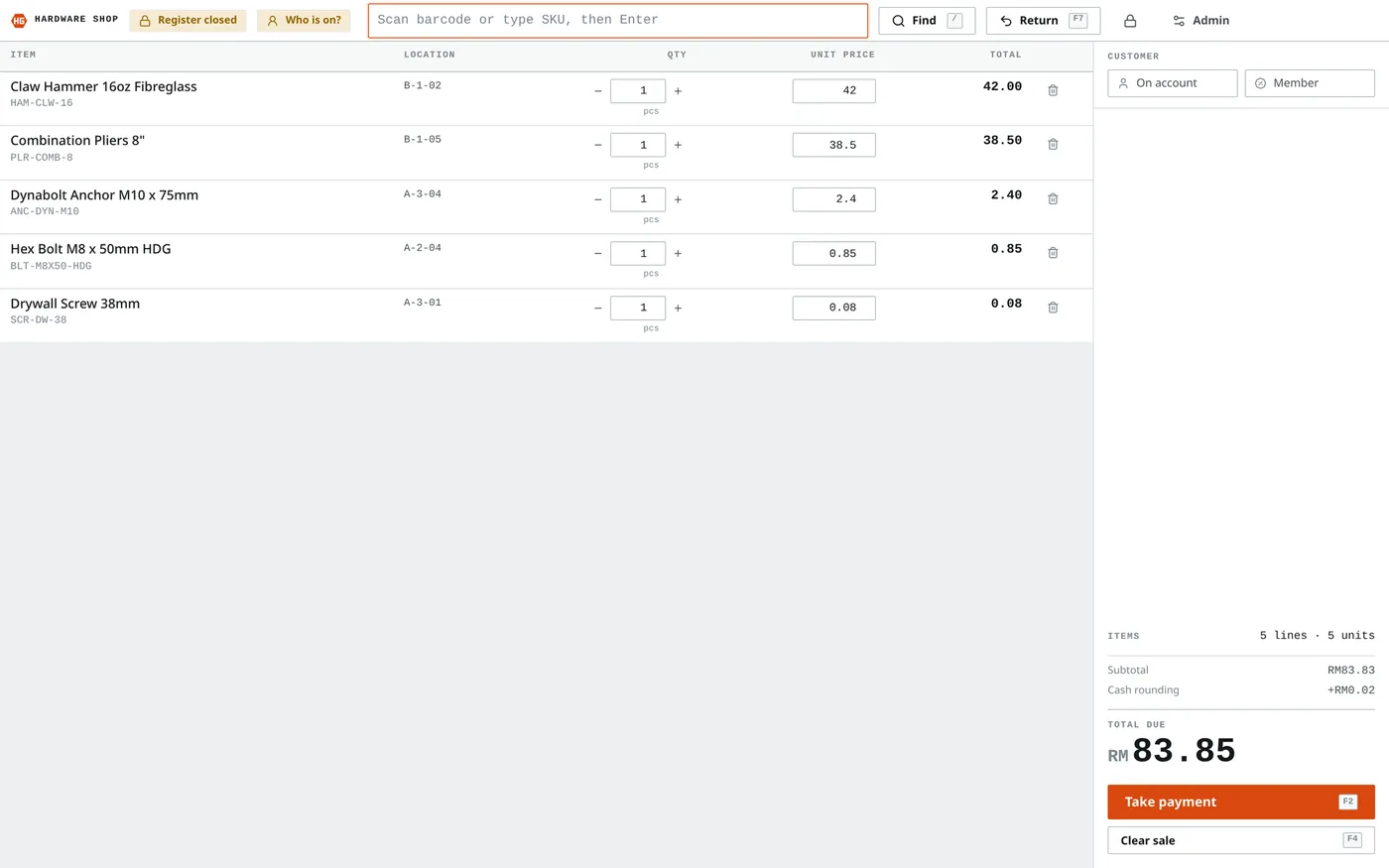
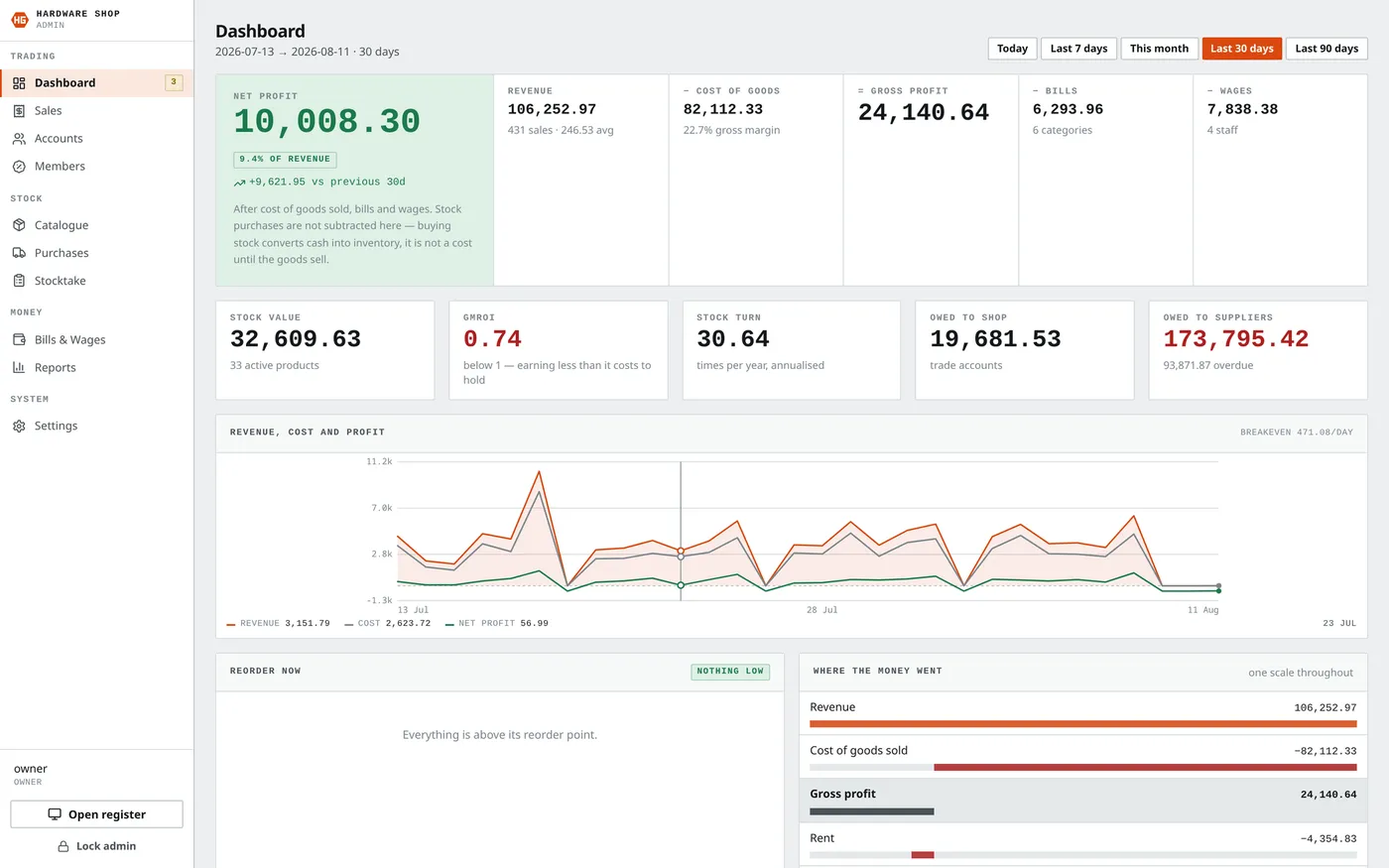
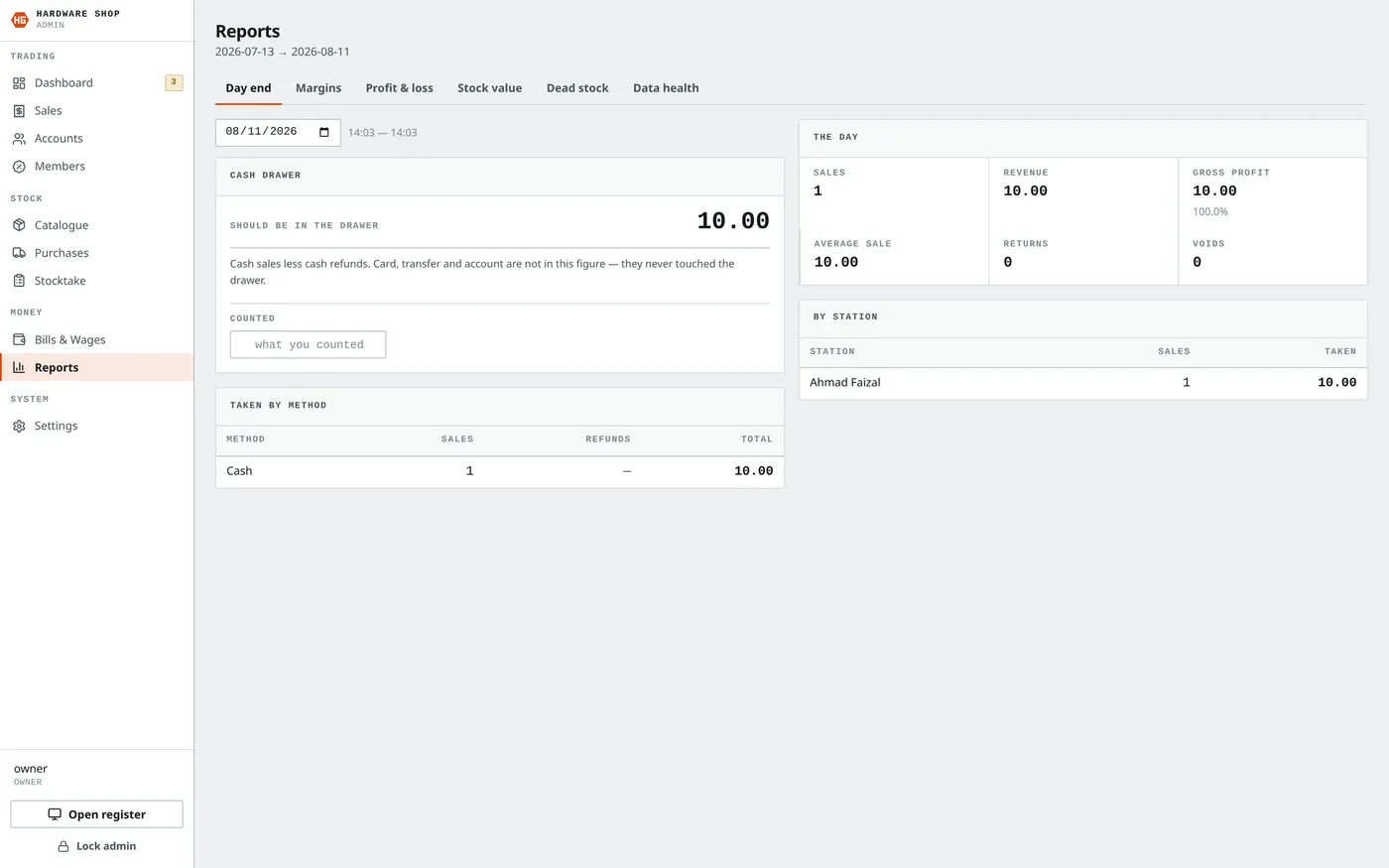
Everything a small hardware shop does in a day. A cashier sells at the counter by scanning or typing a part number; the system knows what is on the shelf, what it cost, and what it should be sold for. Trade customers buy on account and get billed later.
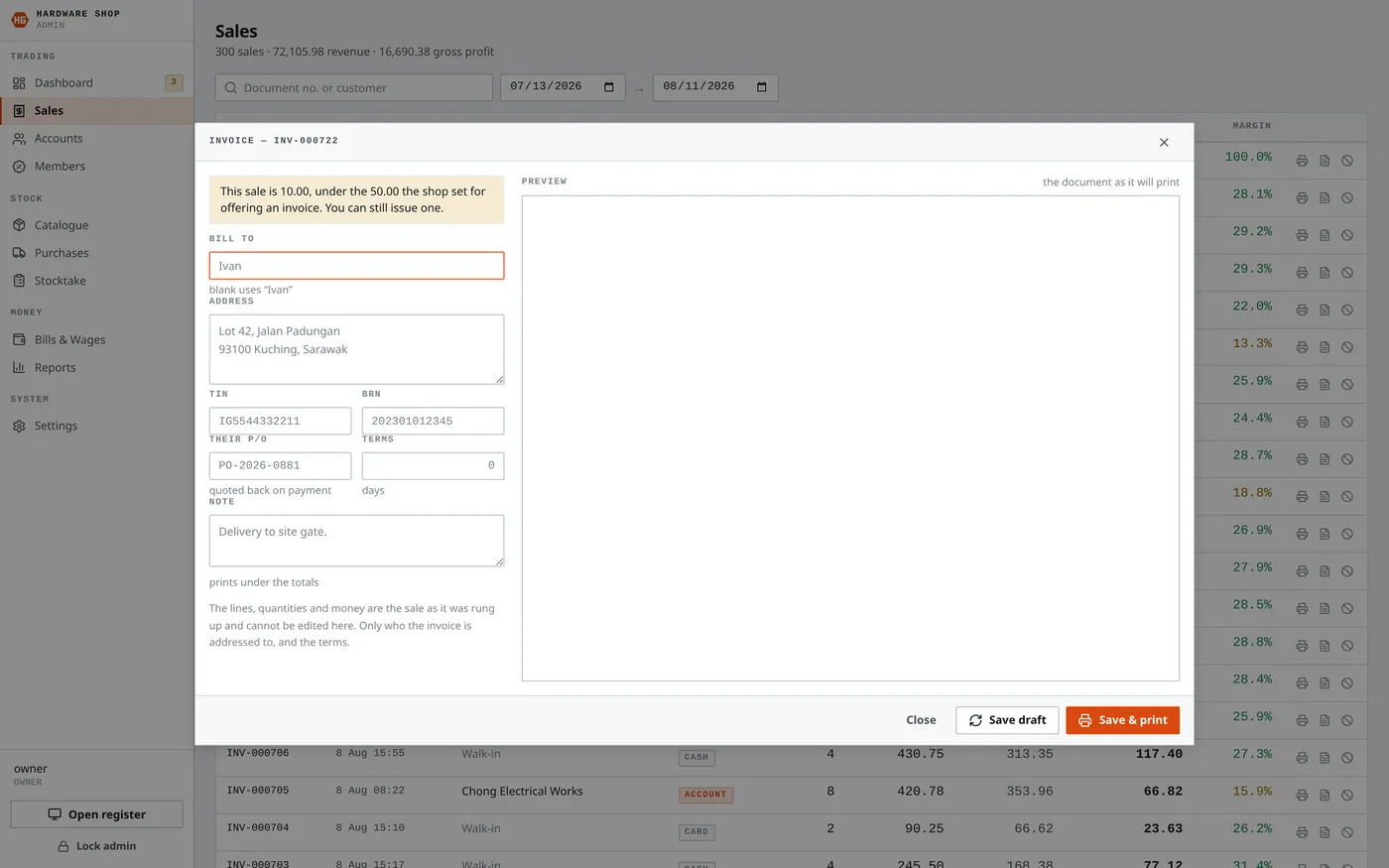
The part I am most pleased with is the invoice. Anything over RM 50 can be turned into a proper A4 invoice — editable, previewed exactly as it will print, and rendered by the same function that drives the printer, so what is on screen and what comes out of the tray cannot disagree. Invoice numbering is sequential and gap-free, because an accountant will eventually ask.
Python · FastAPI · SQLite · a TV in the waiting room
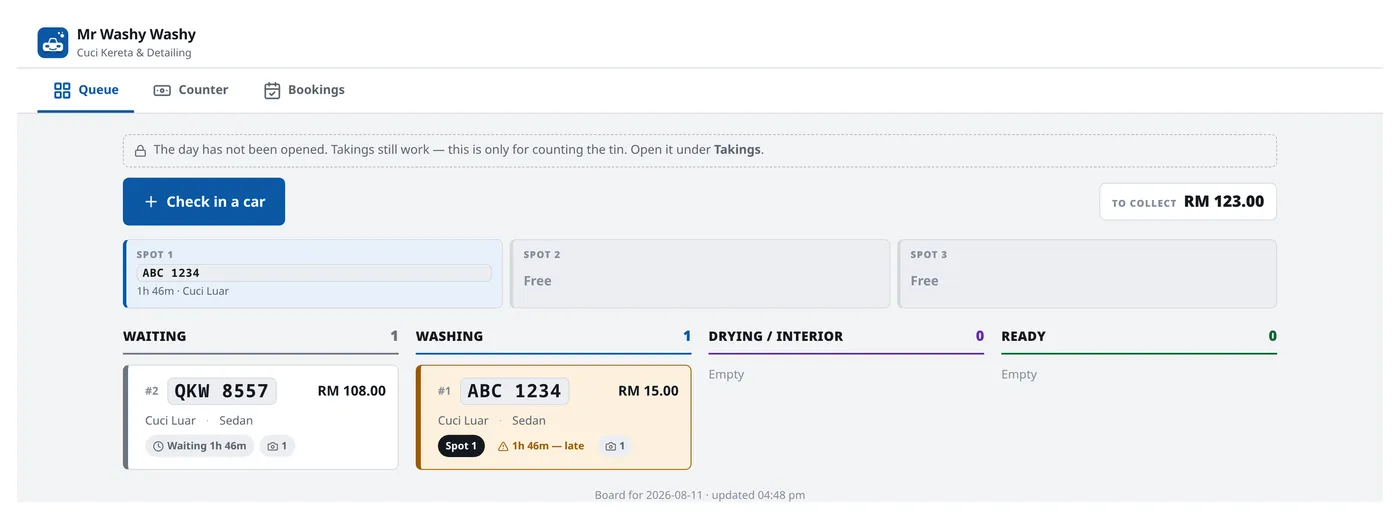
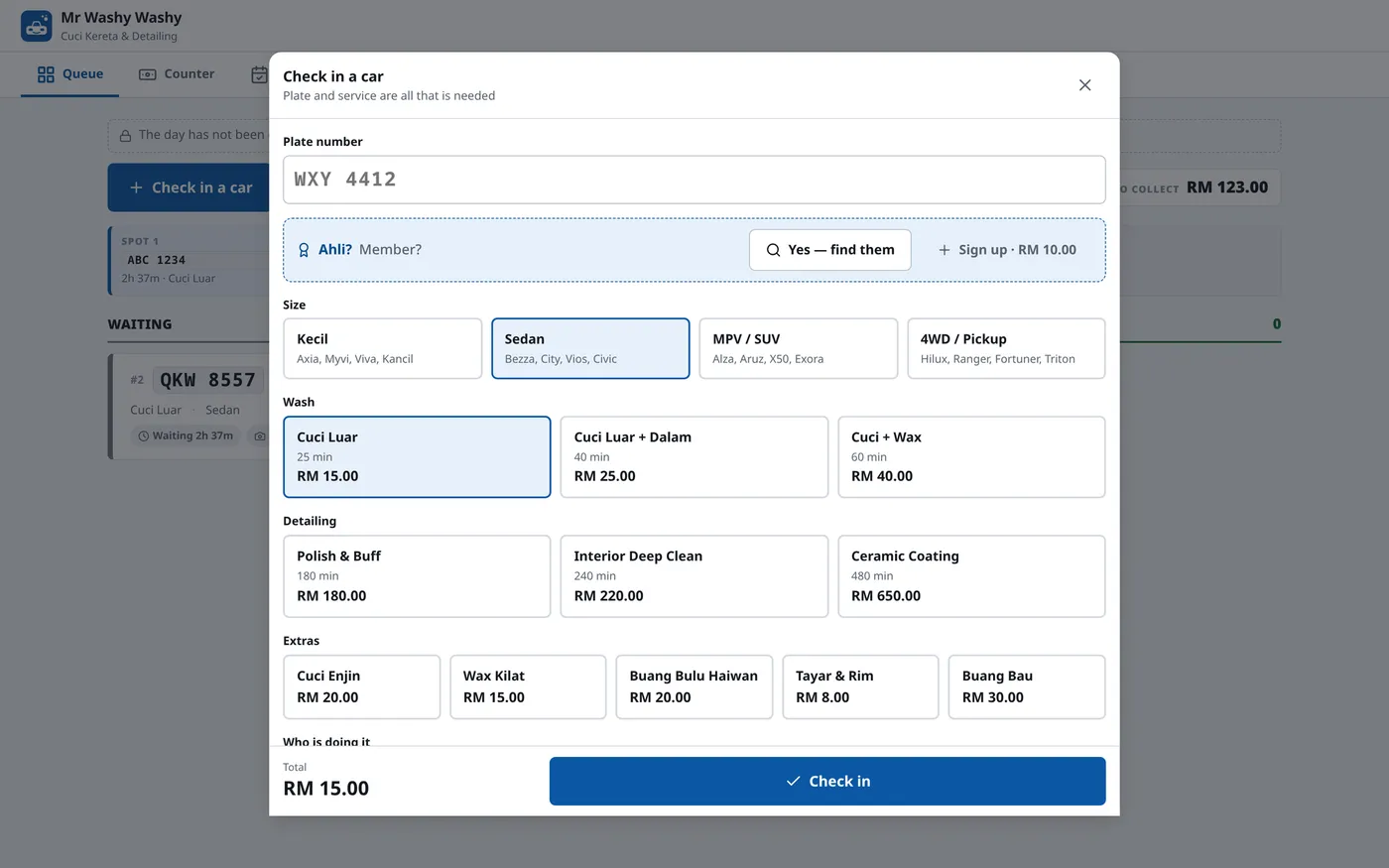
A car arrives, gets checked in, moves through the wash, and gets paid for. The check-in step records damage the car already had — marked on a diagram of the vehicle before anyone touches it — which is the single thing that settles arguments at collection time.
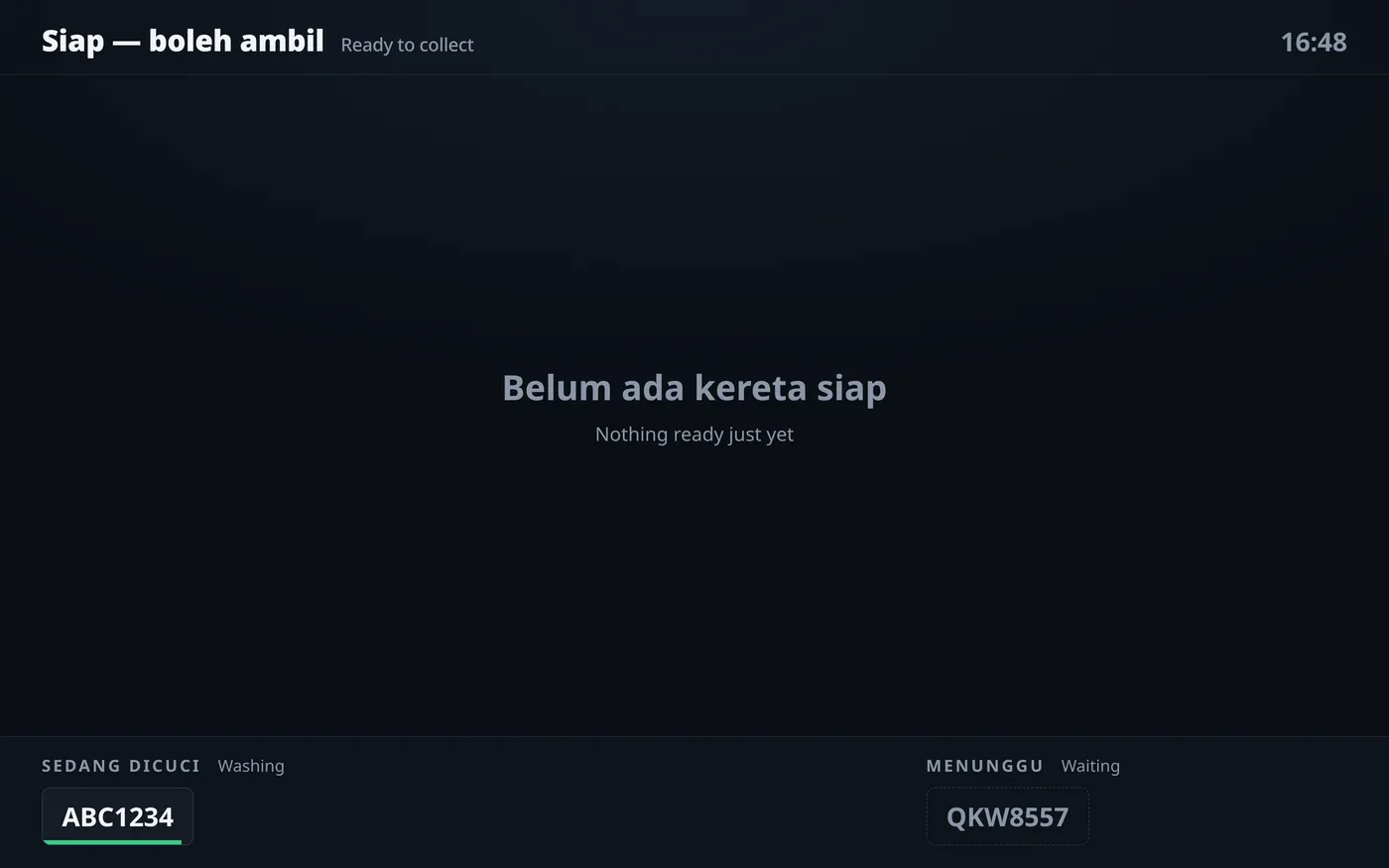
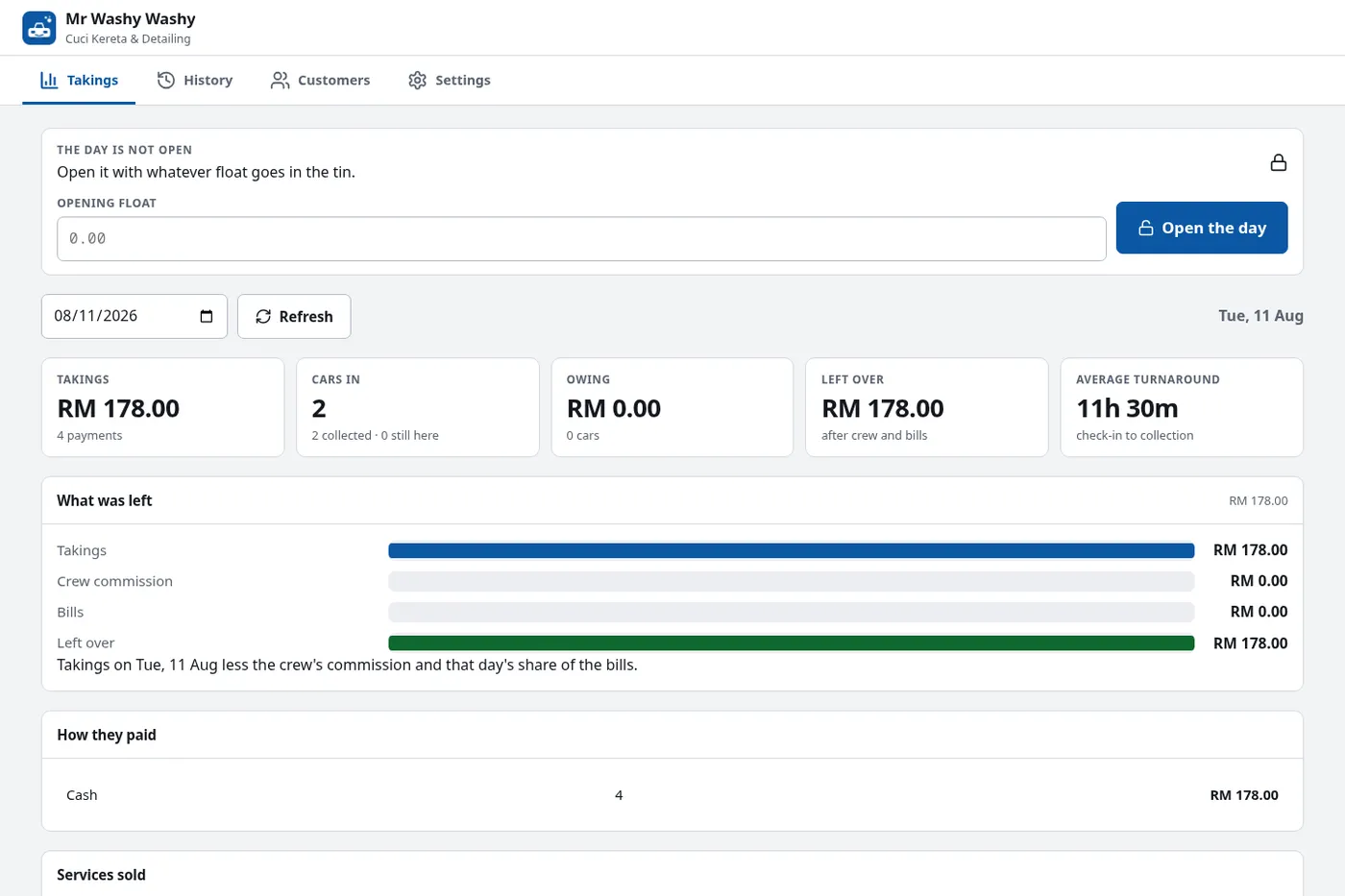
A screen in the waiting room shows customers where their car is in the queue, so nobody has to ask. Behind a PIN, the owner gets the other side of it — the day's takings, each car's turnaround, and what is left after the crew's commission and the day's share of the bills. I also went back over the authentication before handover: the owner PIN now locks out after repeated failures, and the session cookie only sets Secure when it is genuinely on HTTPS.
Python · FastAPI · face recognition on CPU · Fedora Linux
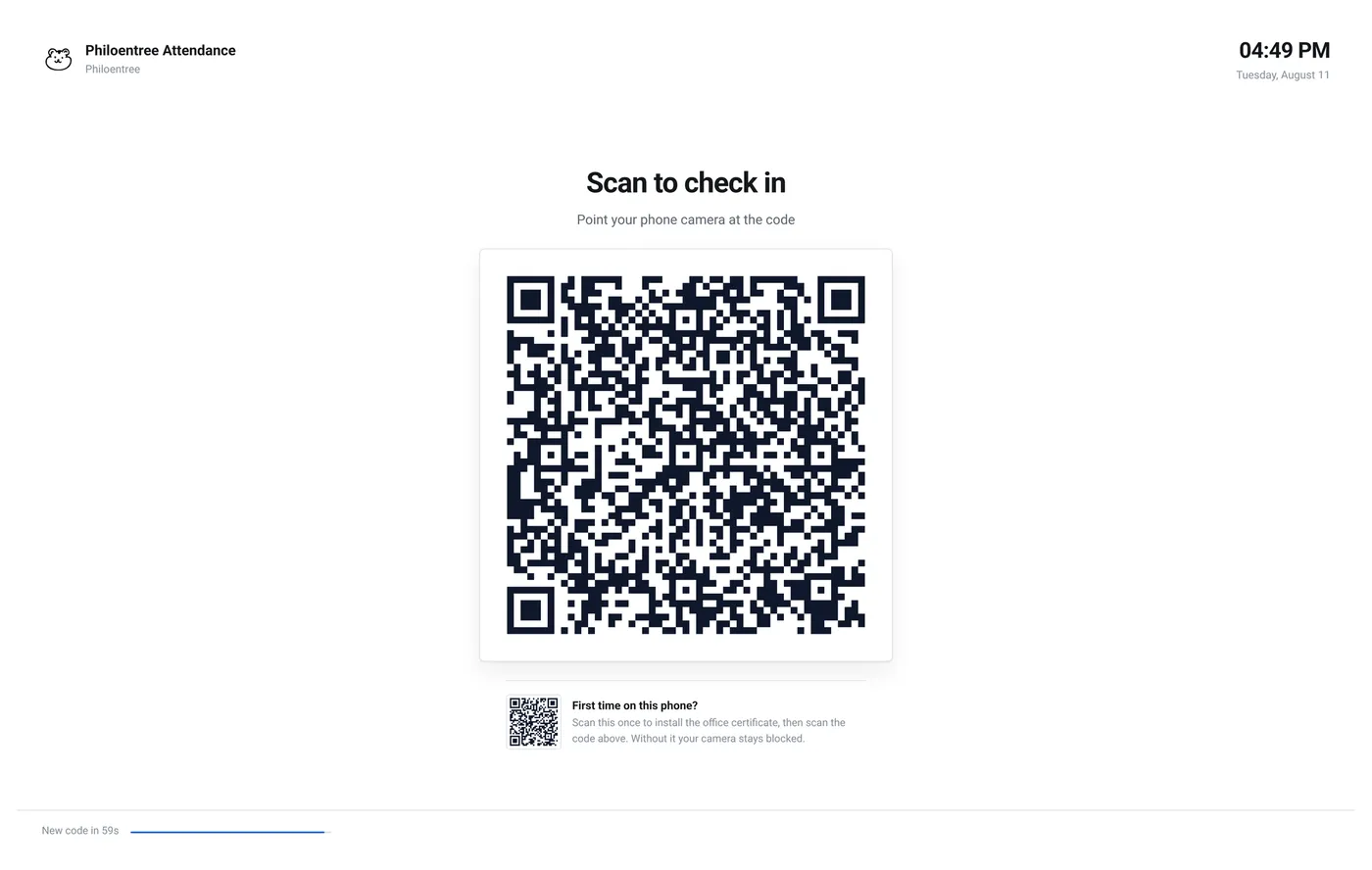
Built for our own office and in use every morning, but nothing in it is specific to us — another office could run it as-is. Staff clock in by scanning a code on the door screen with their own phone. Three checks all have to pass: are you actually in the office, is the code fresh, and is it really you. That last one is the face check, and it is what stops somebody clocking in for a friend.
It runs on the office desktop — a 2014 machine with an i7-4790, 16 GB of DDR3 and integrated graphics, which shipped with Windows 11 Pro and had very little left over for anything else. Moving it to Fedora Linux gave the whole machine back to the work, and the face matching runs on the CPU with no graphics card at all.
React · Node · inherited codebase · Gemini API
The one project I did not start from a blank page. The kopitiam was already running a system when I arrived. My job was to work inside it — read somebody else's decisions, keep the parts that were load-bearing, and improve it while it stayed open for business. Nothing I shipped was allowed to interrupt a lunch service.
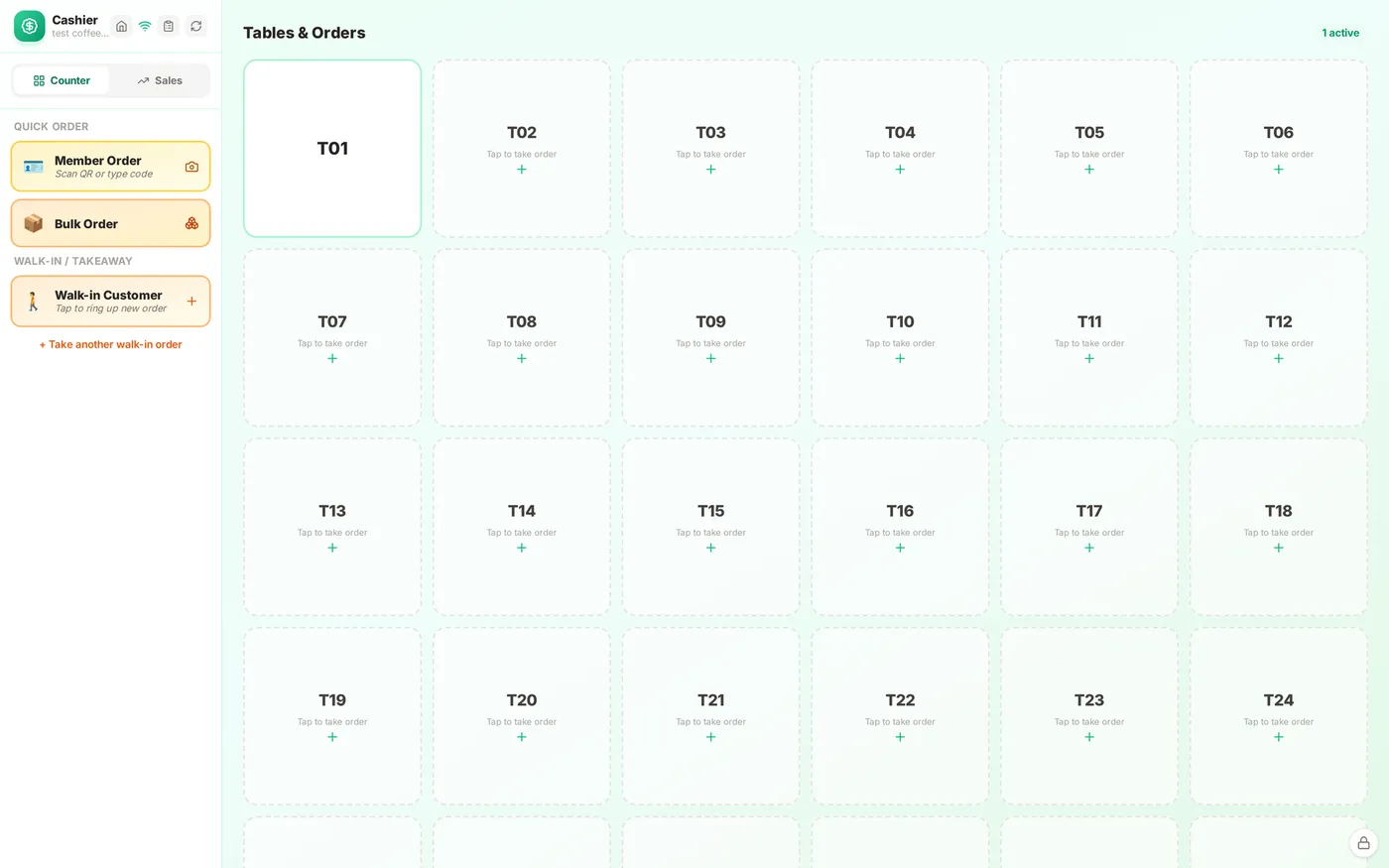
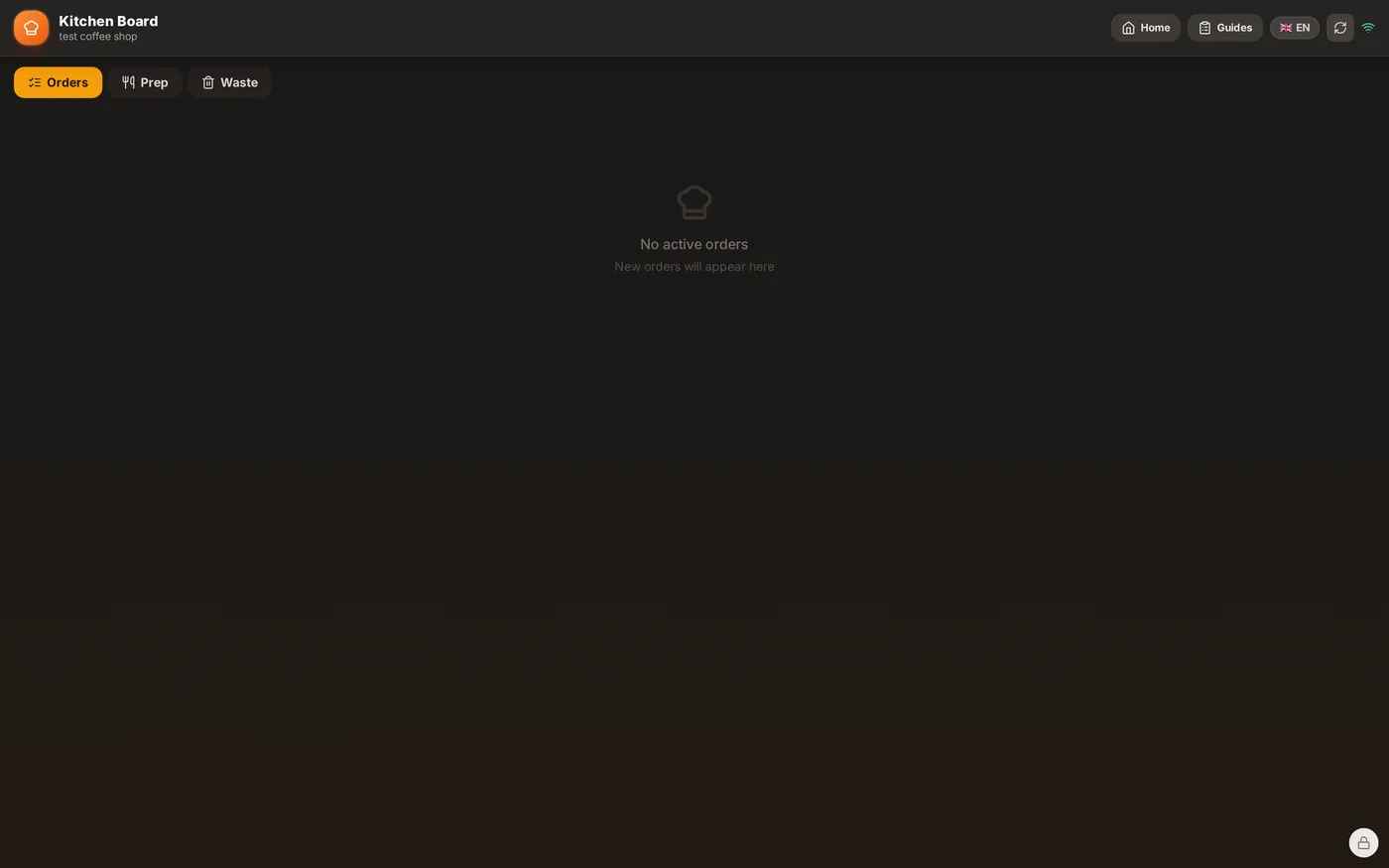
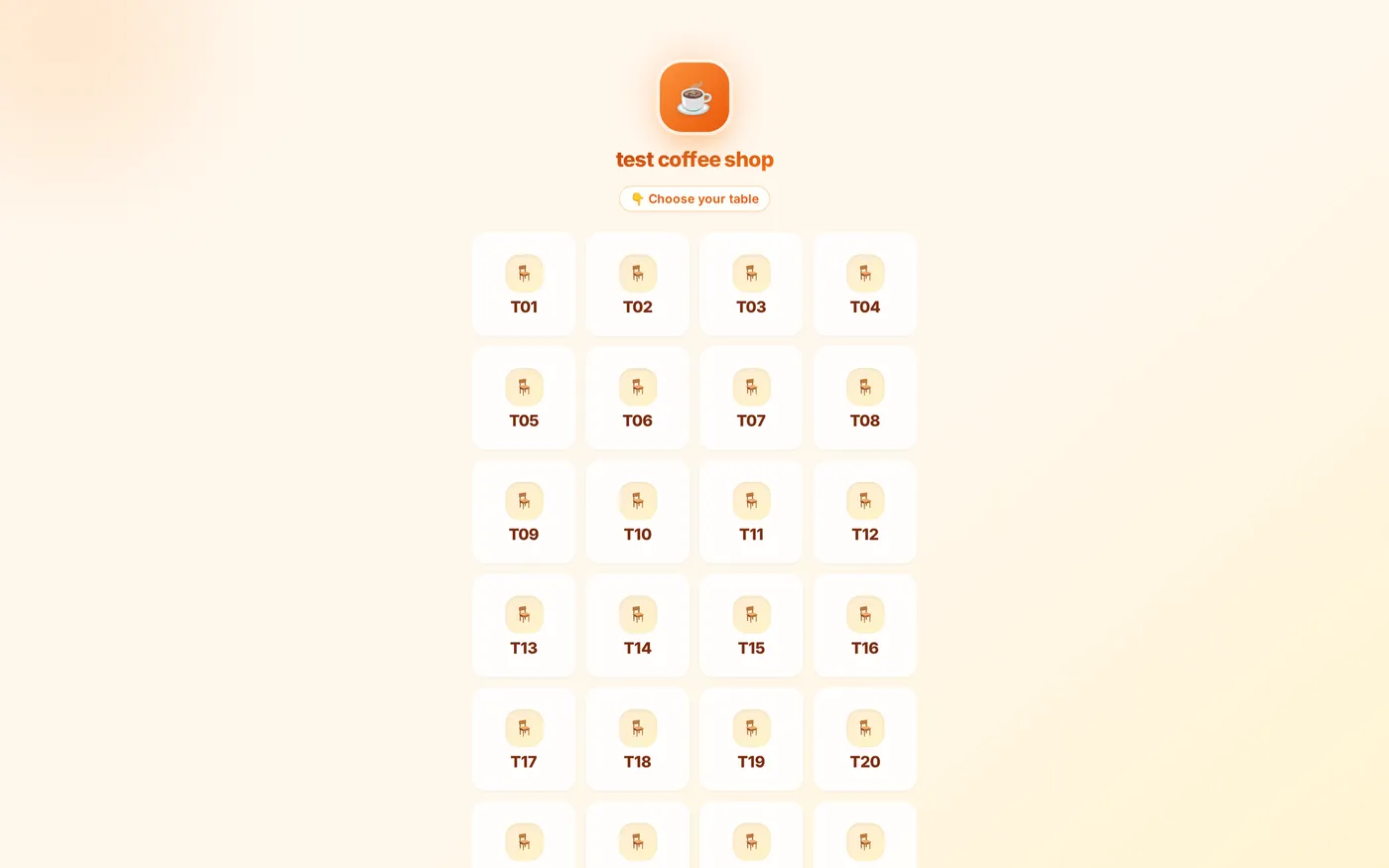
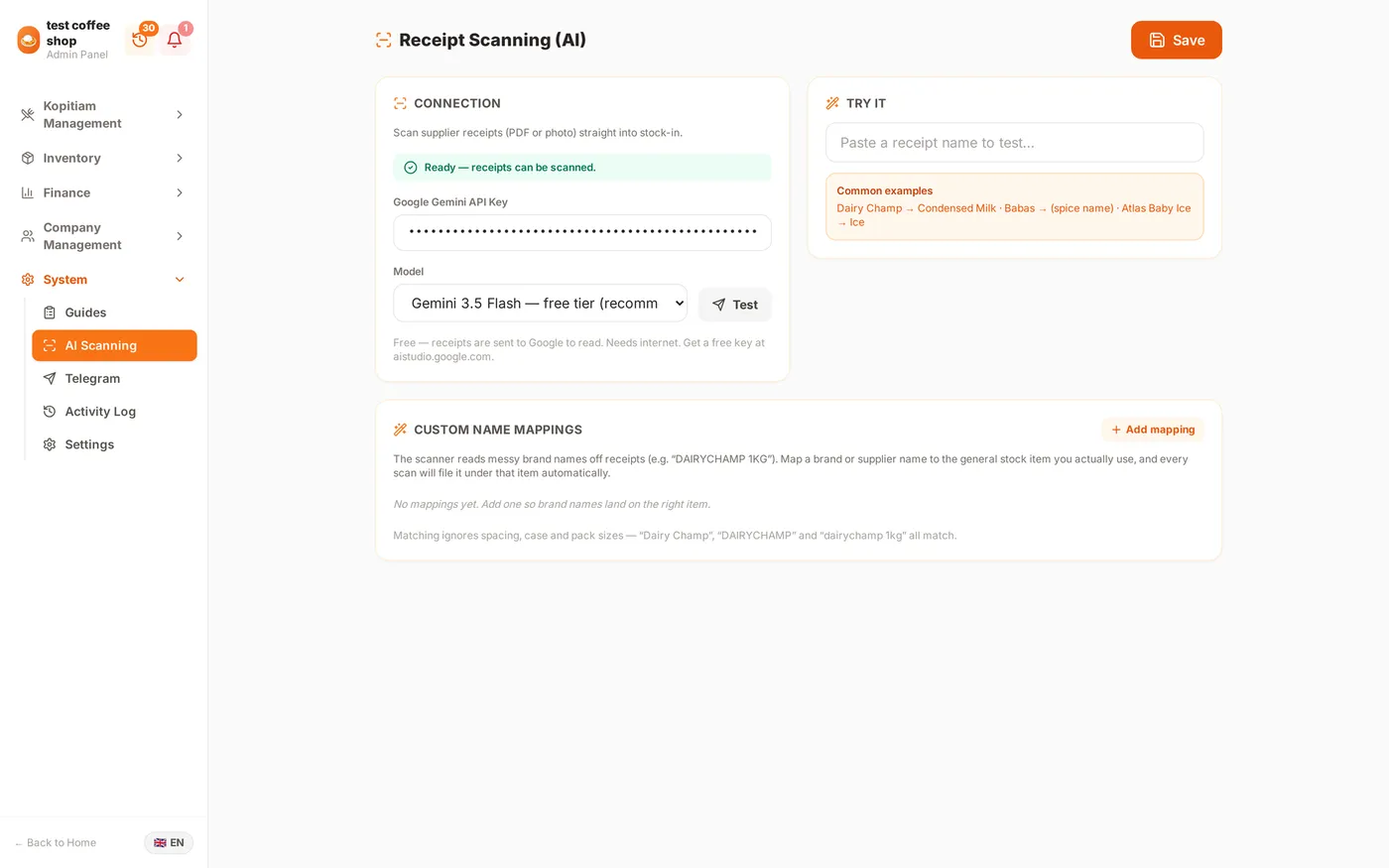
Customers order from their table, the kitchen sees it the moment it is sent, and the cashier settles the bill. The piece I added that saved the most time is supplier receipt scanning: photograph a delivery docket and the Gemini API reads the lines off it, so stock goes in without anyone typing it.
PHP 8 · MariaDB · five applications, one set of records
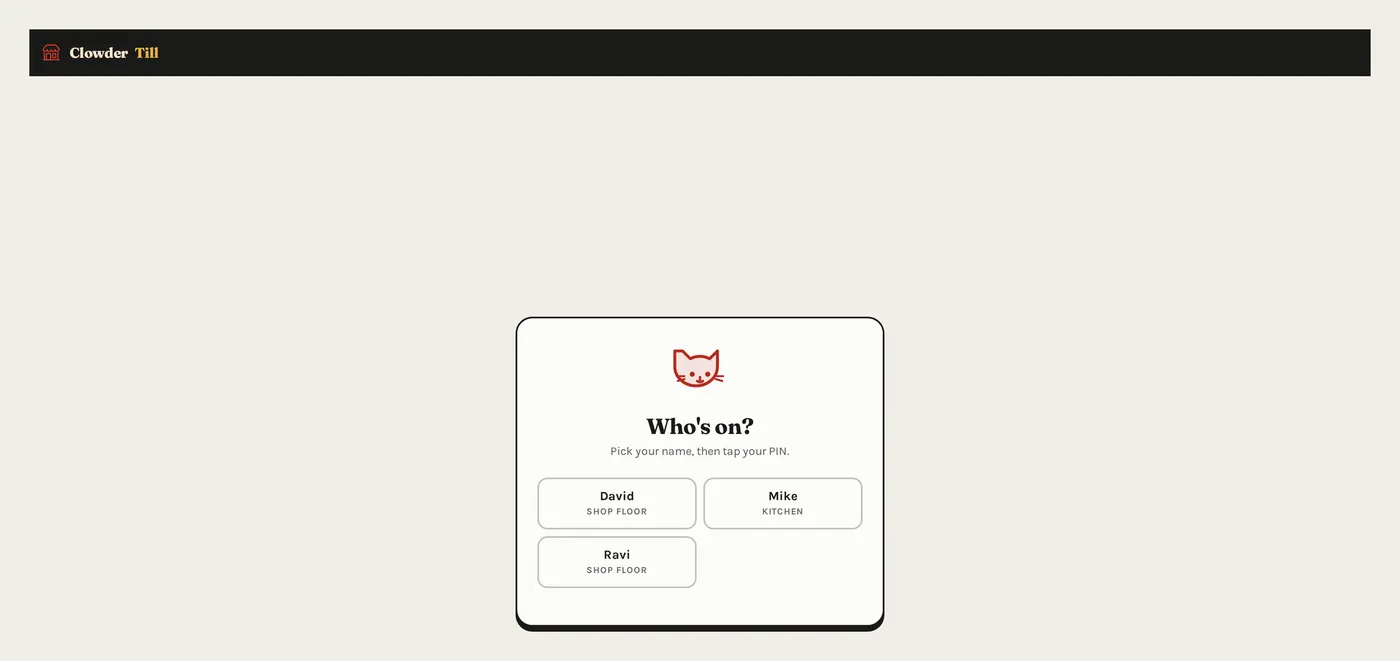
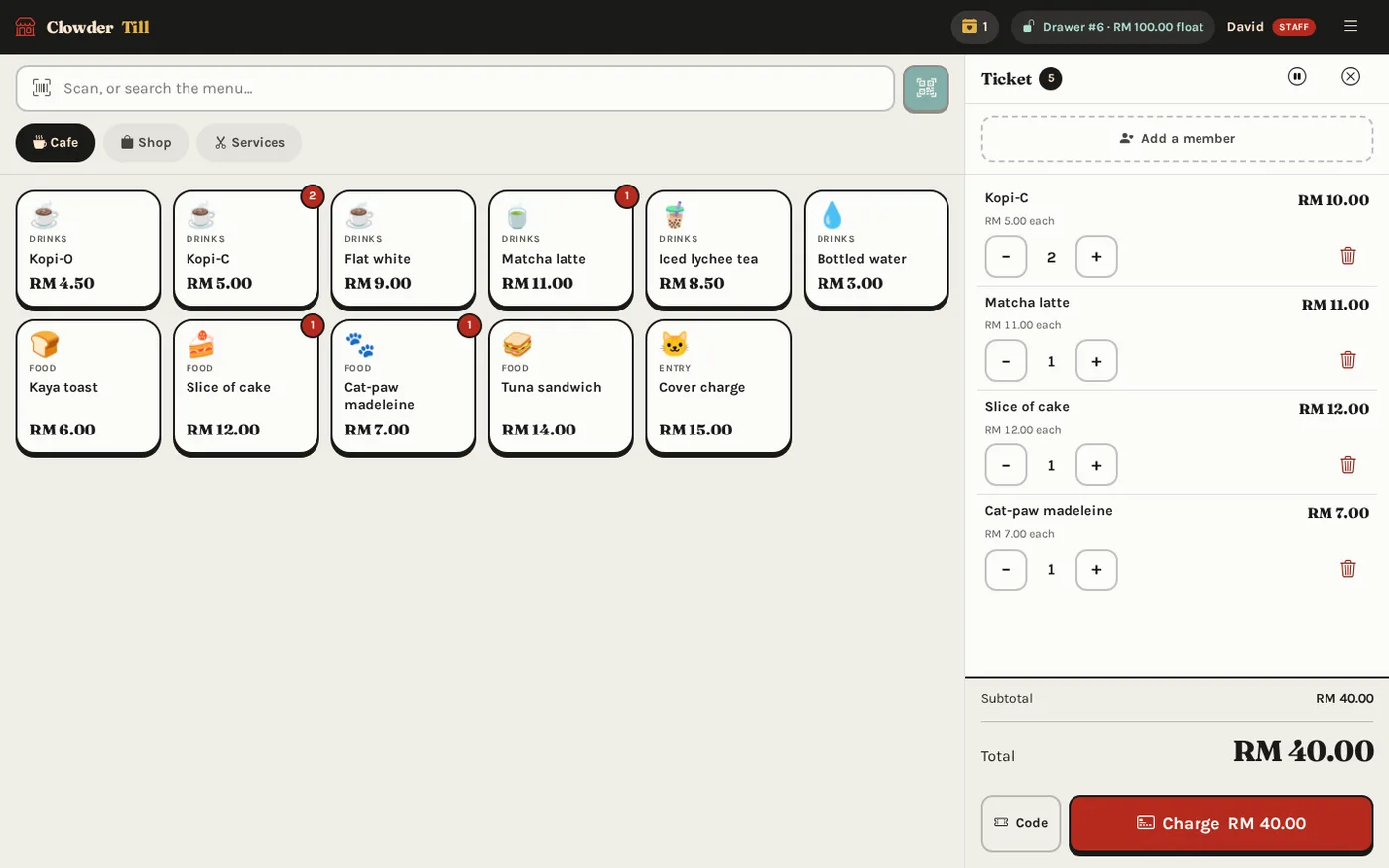
The biggest thing I built, and the one I would show first. It is five separate applications — the public website, the till at the counter, the back office, a JSON API and an Android app — all reading and writing the same records. A bag sold at the counter disappears from the website immediately. A price is changed in one place and it changes everywhere. Nothing can be sold at a price somebody typed in by hand.
The part I am proudest of. The owner builds and edits their own pages — no developer, no ticket, no waiting for me. The trick is what the builder does not let you do: there are no font pickers, no size controls, no spacing sliders. You choose which sections a page has, what order they come in, and what they say. Typography and layout are decided once, by the stylesheet. A non-designer cannot produce an ugly page, because none of the levers that make pages ugly are there.
There is also an AI page designer: describe the page you want in a sentence and it proposes a section layout, which the owner then edits by hand. It writes structure, not styling — so its output lands inside the same guardrails as everything else.
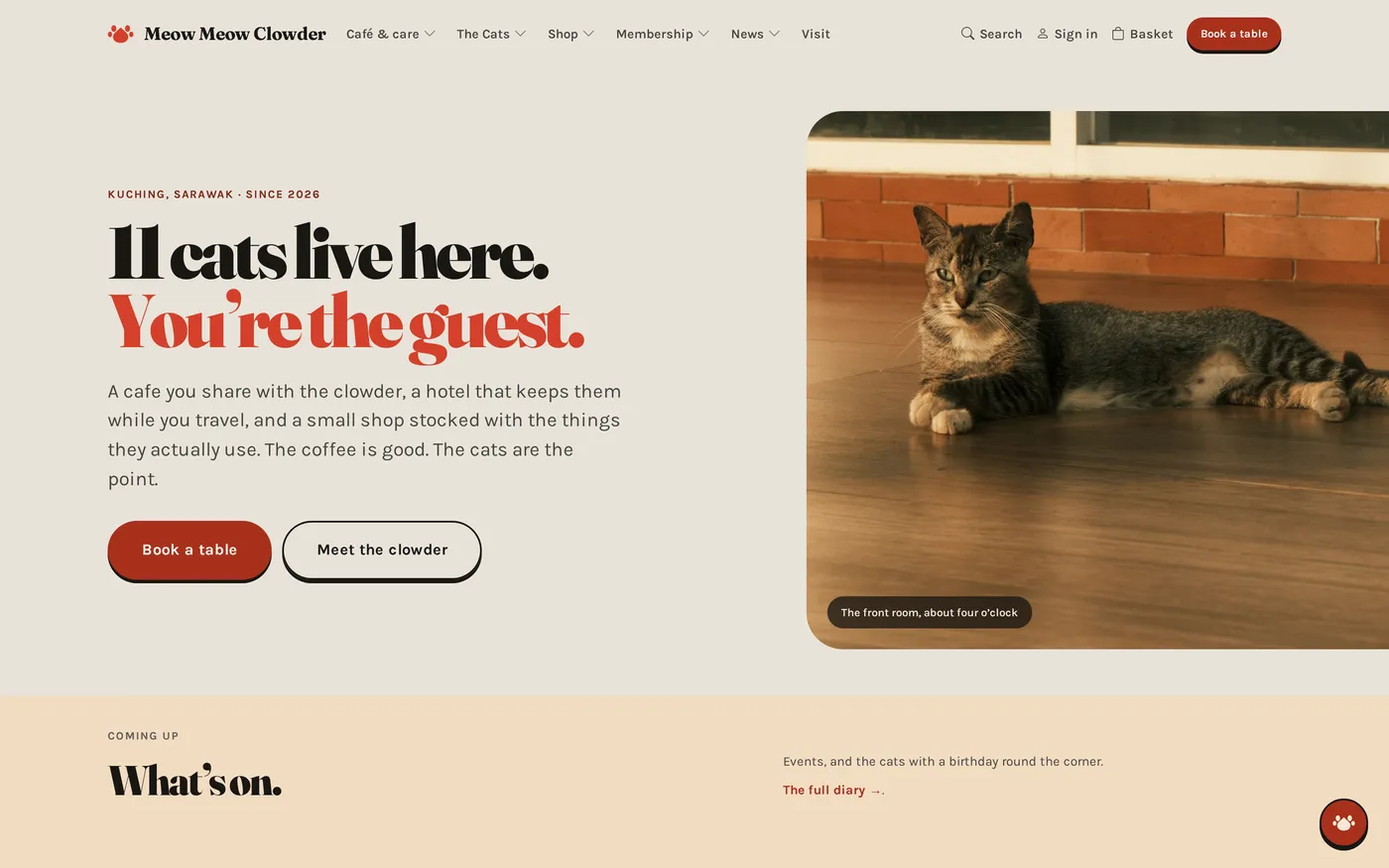
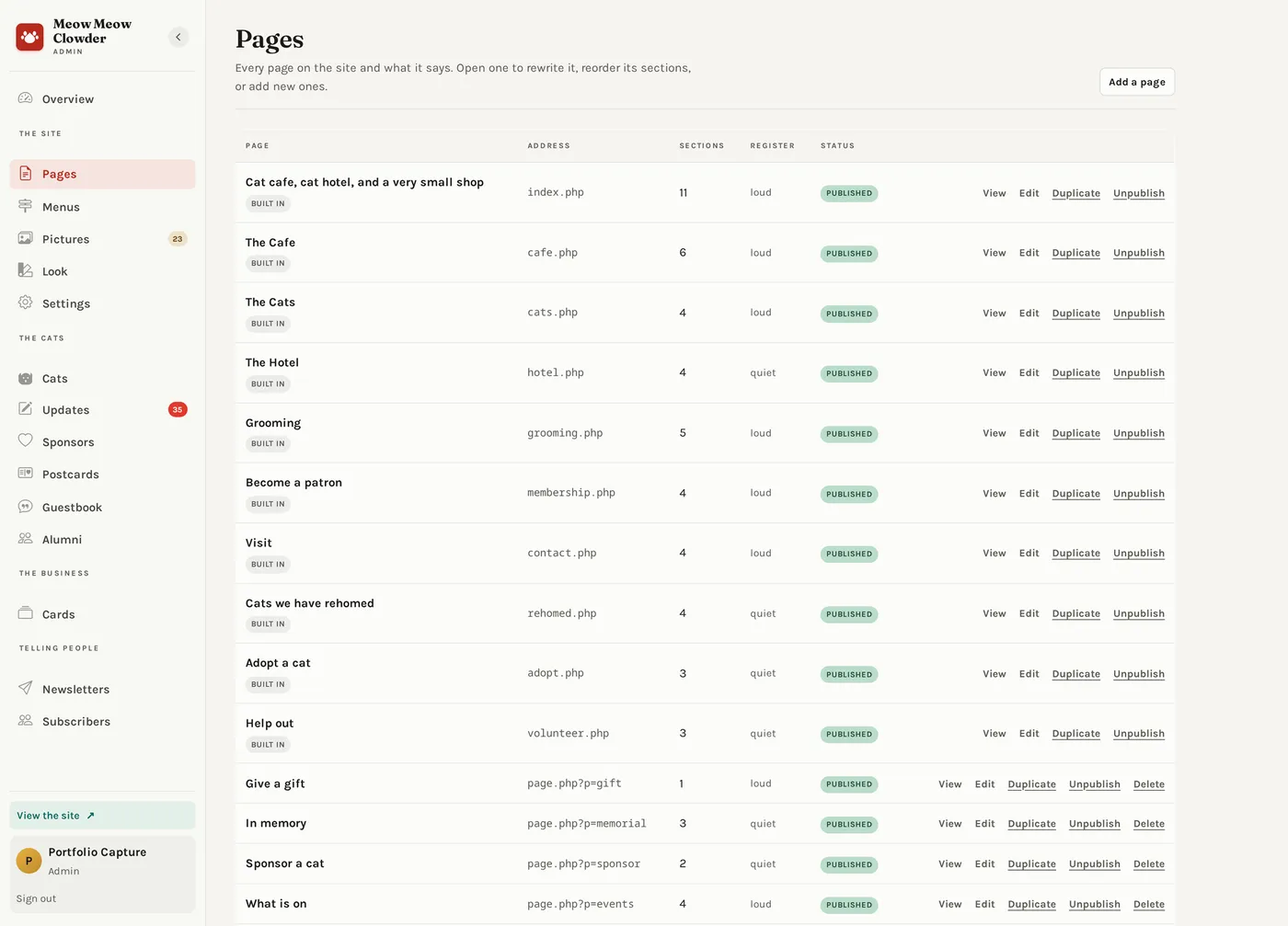
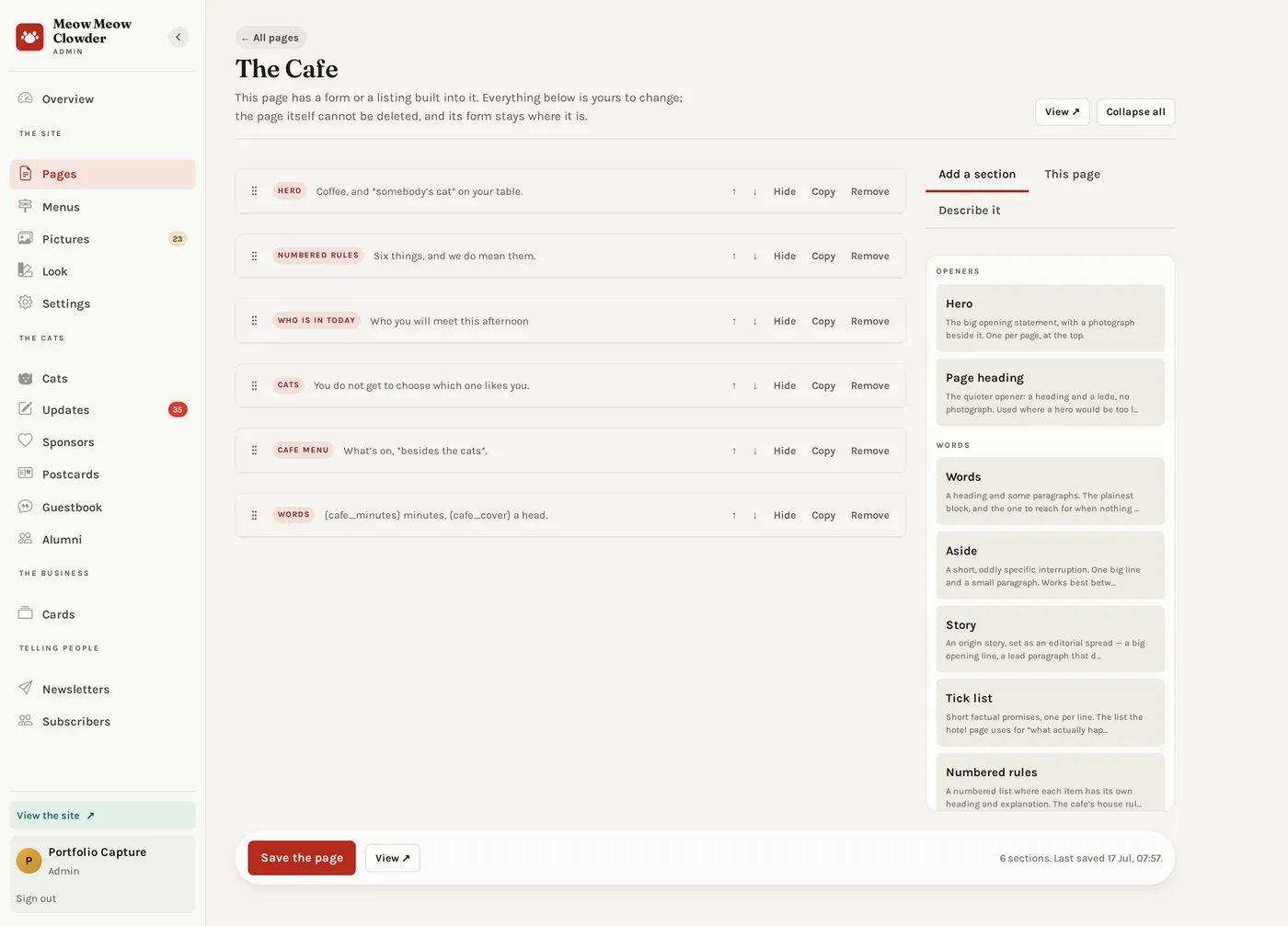
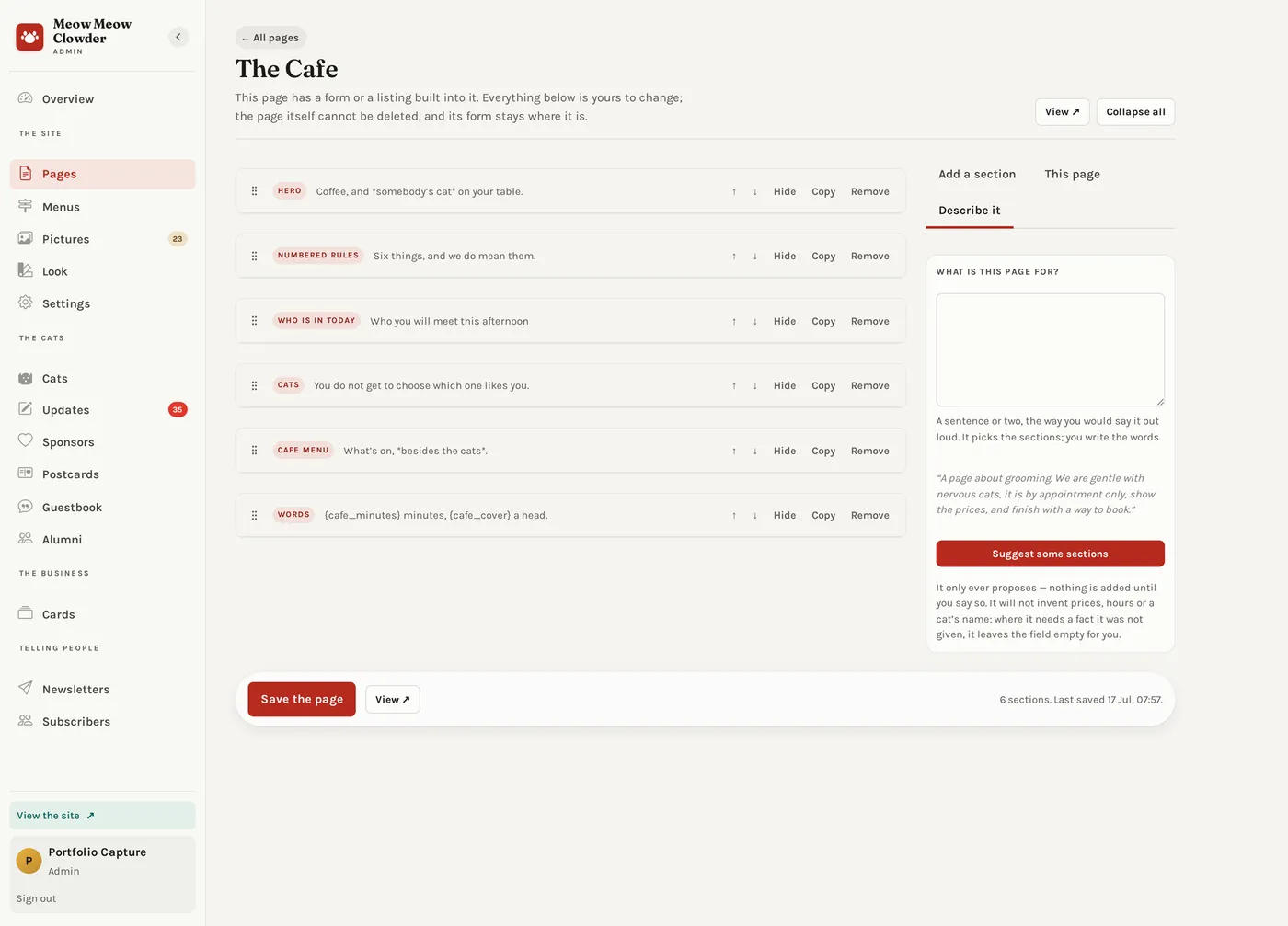
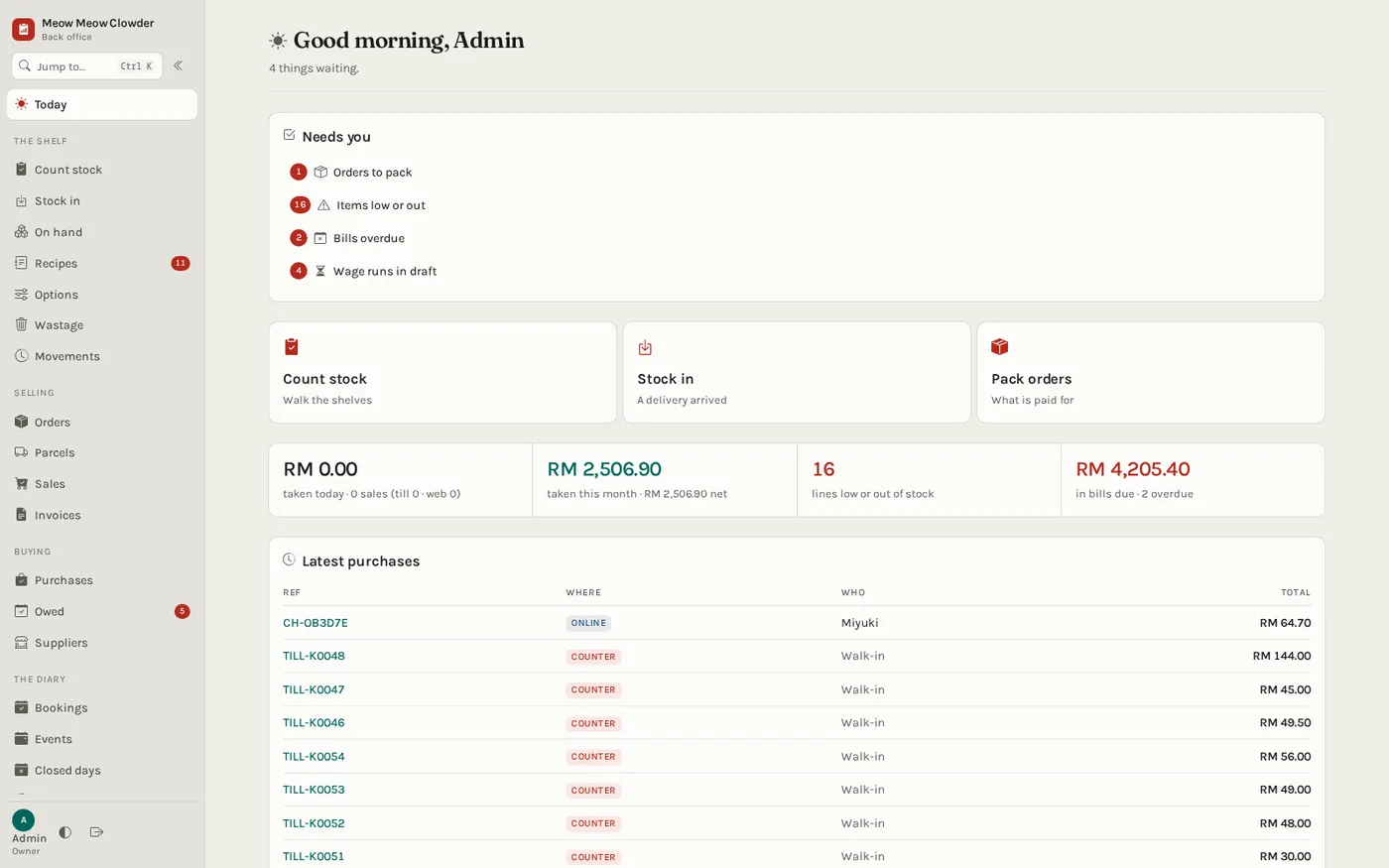
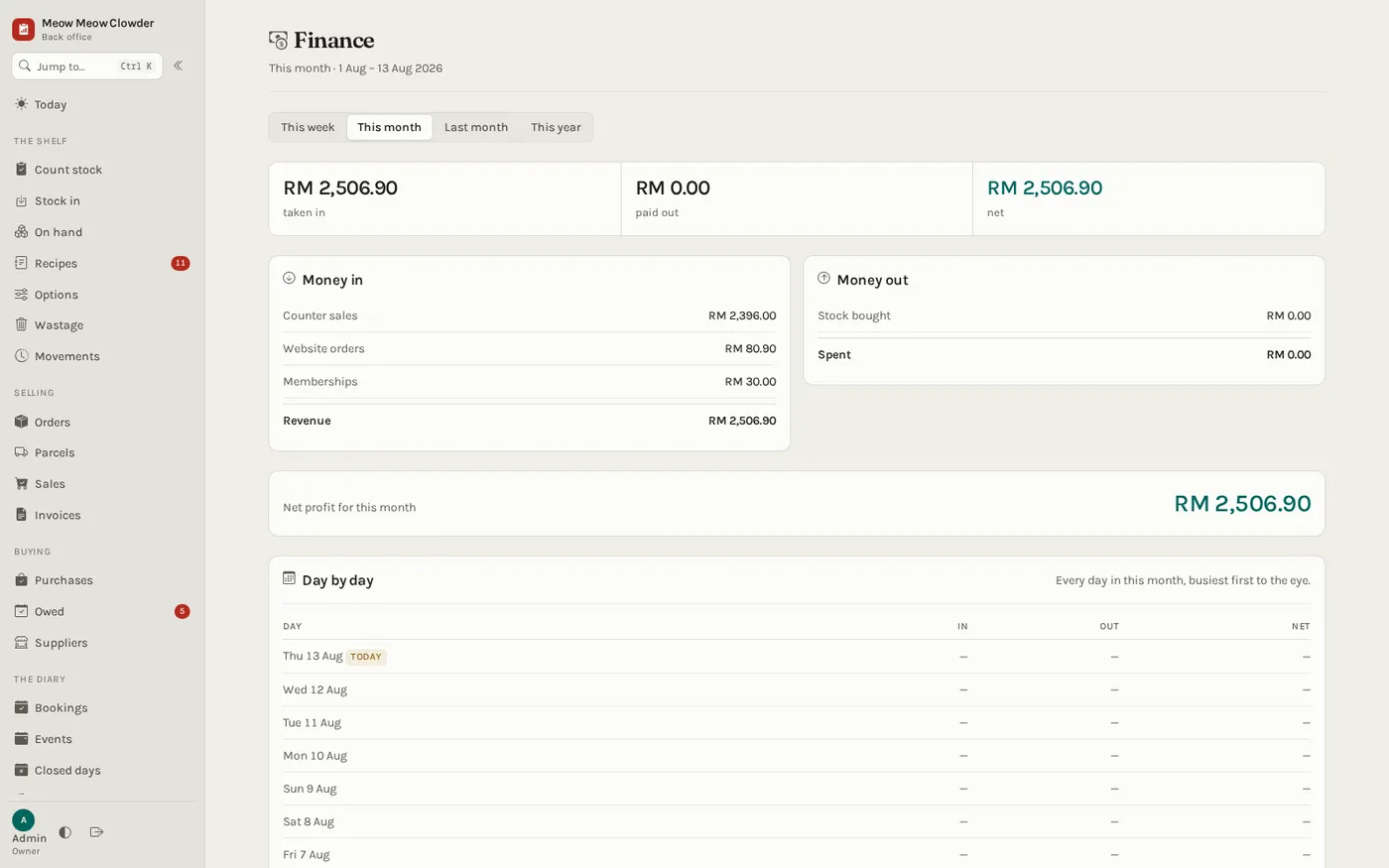
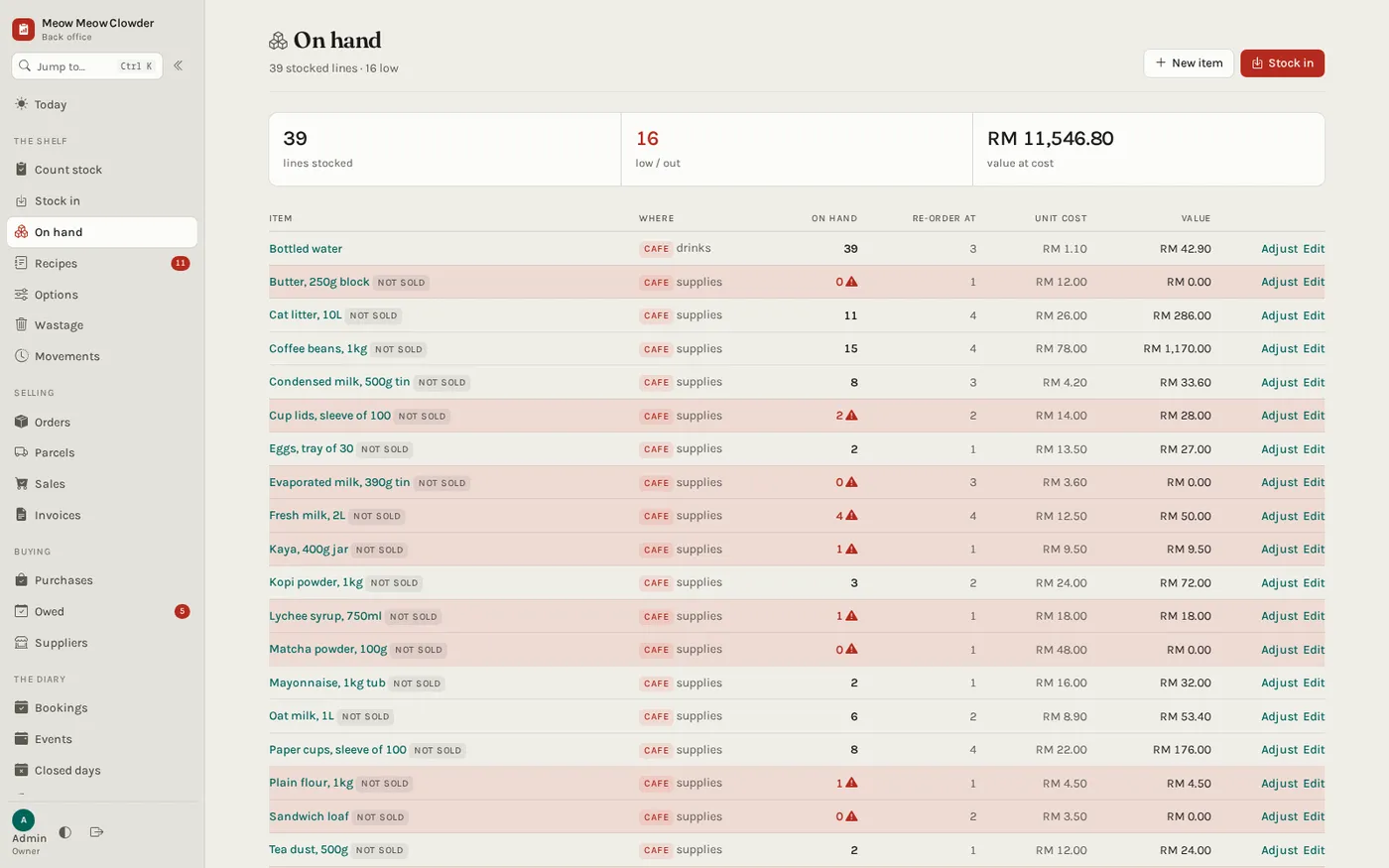
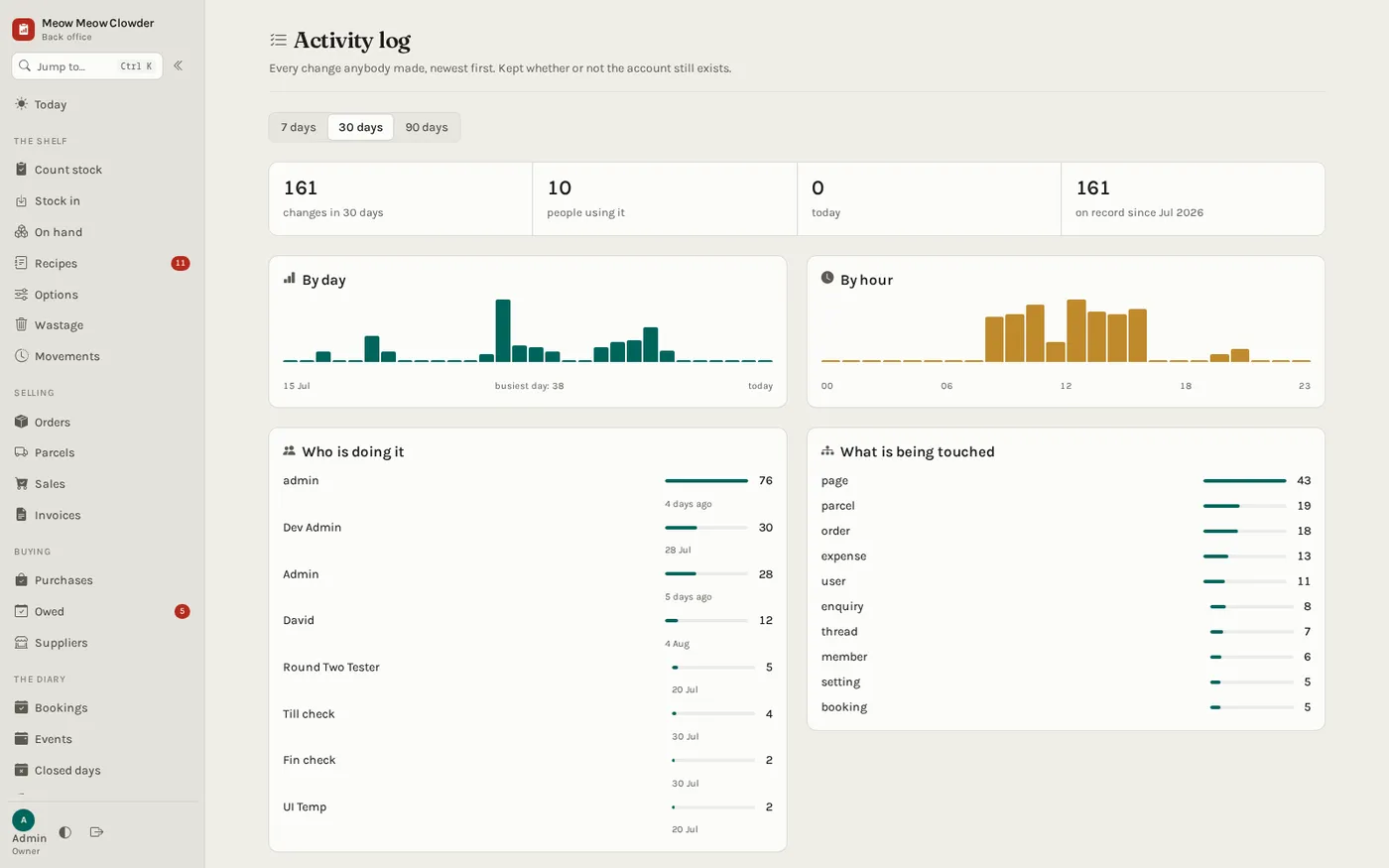
The page builder is one corner of a much larger room. The back office is where the shop is actually run — the money, the stock, the bookings, the suppliers and the wages, all on the same records as the website, the till and the app. It opens on what needs a person today and what the shop took, and it only builds the money view for someone allowed to see it: a floor-staff account never queries the P&L, it simply is not drawn.
Android · Kotlin · talks to the same API as everything else
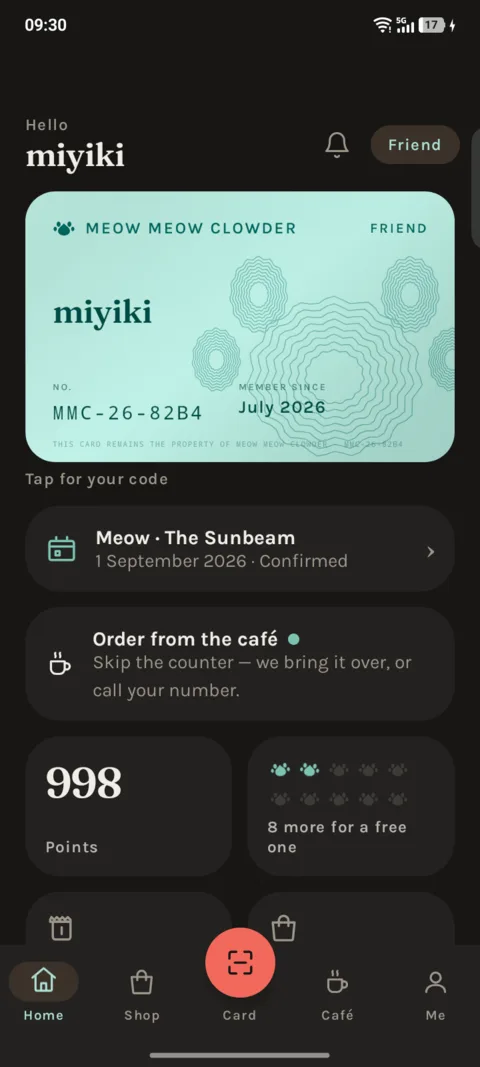
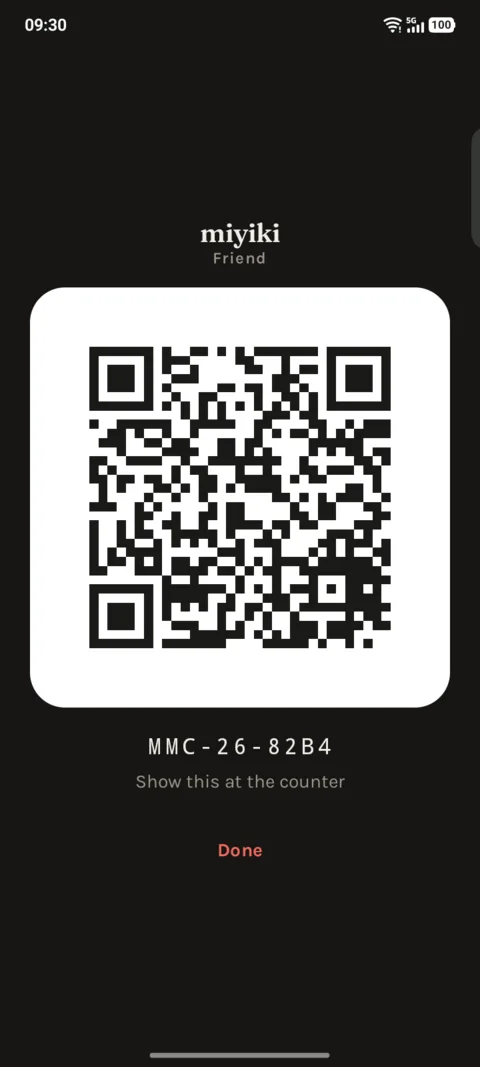
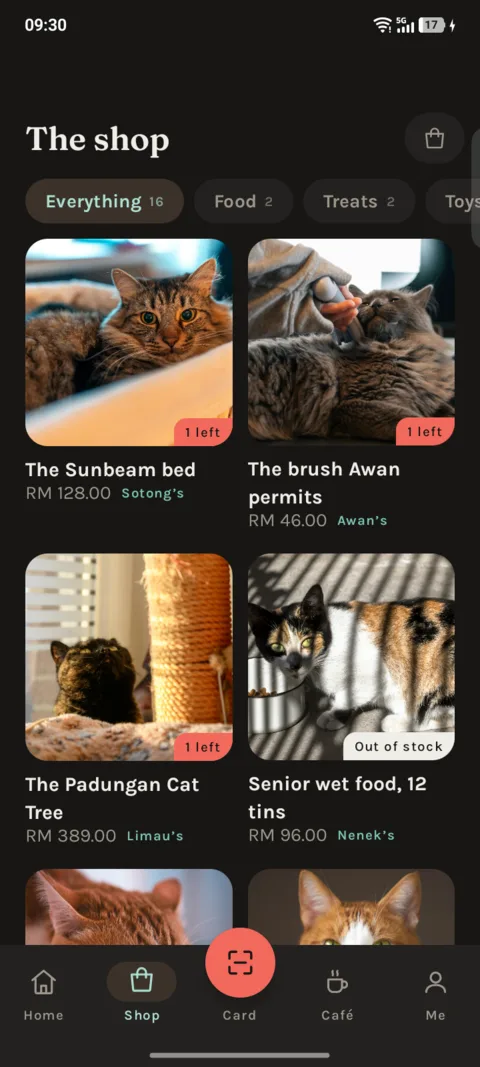
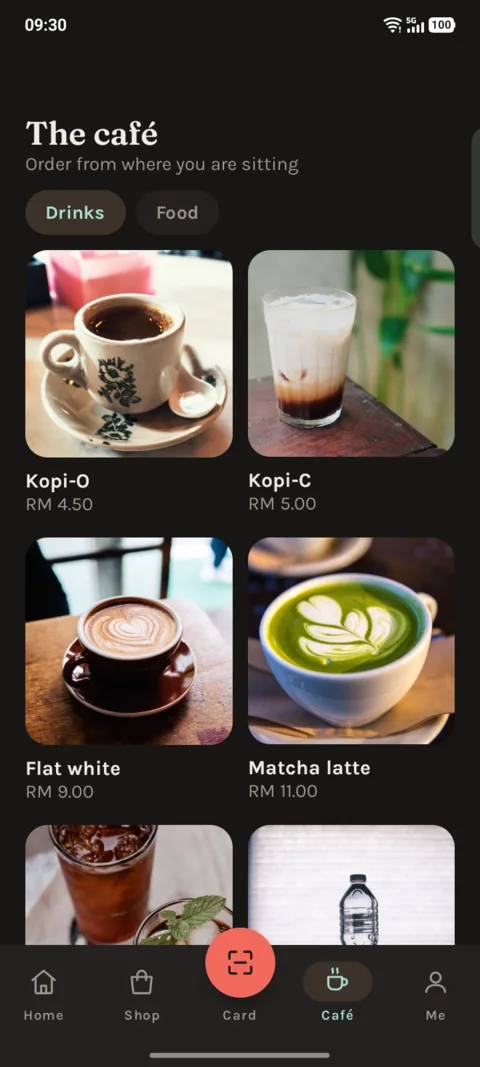
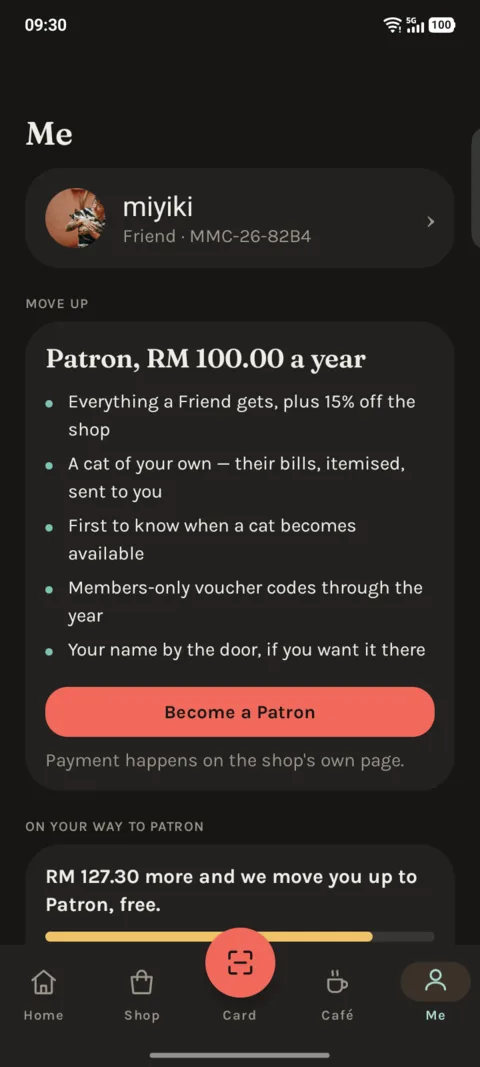
The fifth client of the cat cafe's records. Members get their card, their points, the shop, and the ability to order from their seat. The card is one tap from anywhere in the app, because the one thing you need in a queue is the code you show at the counter.
The screenshots below were taken from the phone itself, not drawn in a mockup — the member number, the points balance and the booking on the home screen are coming from the cafe's own records while the photo was being taken.
Secure on HTTPS, a double-tap that cannot charge twice — none of it is interesting, and all of it matters the first week somebody real uses it.